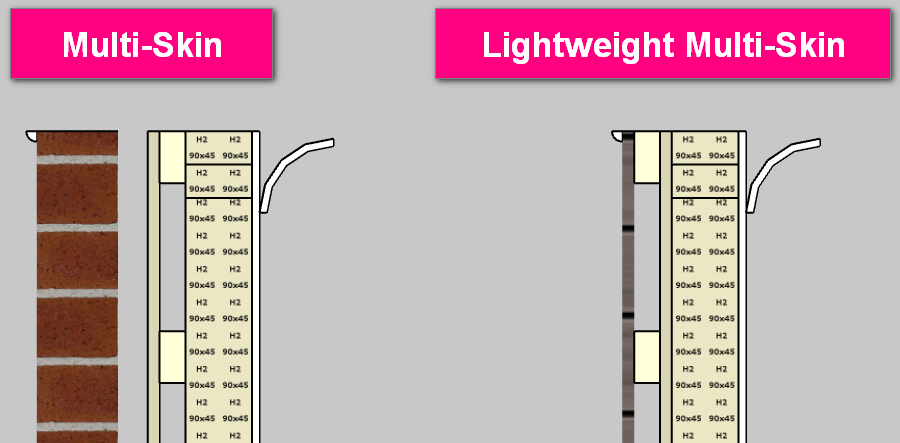
If you select external cavity batten and also sheathing or bracing material to the outside of the wall it puts the ply on the outside of the cavity batten and not on the external side of the wall frame. Is there any way to swap it round.
Typically it would be external wall, sheathing, cavity batten.
I also understand I could not include the sheathing as a material and add it as bracing, which essentially is what I am using it as. However when you add the bracing it doesnt shift the cavity batten out the thickness of the bracing so they overlap.
I always use the multi skin wall option not the lightweight multi skin wall. This allows you to place a rigid air barrier like plywood directly over the ext framing with cavity battens and cladding over this.
Currently the only way to “switch” the order of sheathing & battens would be to use the other multi-skin wall type as the elements are positioned in the opposite order (similar to what Sekta mentioned). The image below shows the Multi-Skin & Lightweight Multi-Skin wall types with all elements present.
Pending the desired construction method, you may also need to create a material for the external skin/lining & then adjust the material info via the Edit Tag & BOQ Category feature (the post linked below explains this feature in more detail).
Adding bracing via the right-click menu (+ WALLS + Bracings > Insert Bracing) will add the bracing at the specified points so it quantifies in the takeoff, however it doesn’t affect the position of the geometry within the wall.