how do i create or add metal ceiling battens to my designs?
Hi Les,
There are a couple of ways to do so, which I’ve listed below.
Option 1
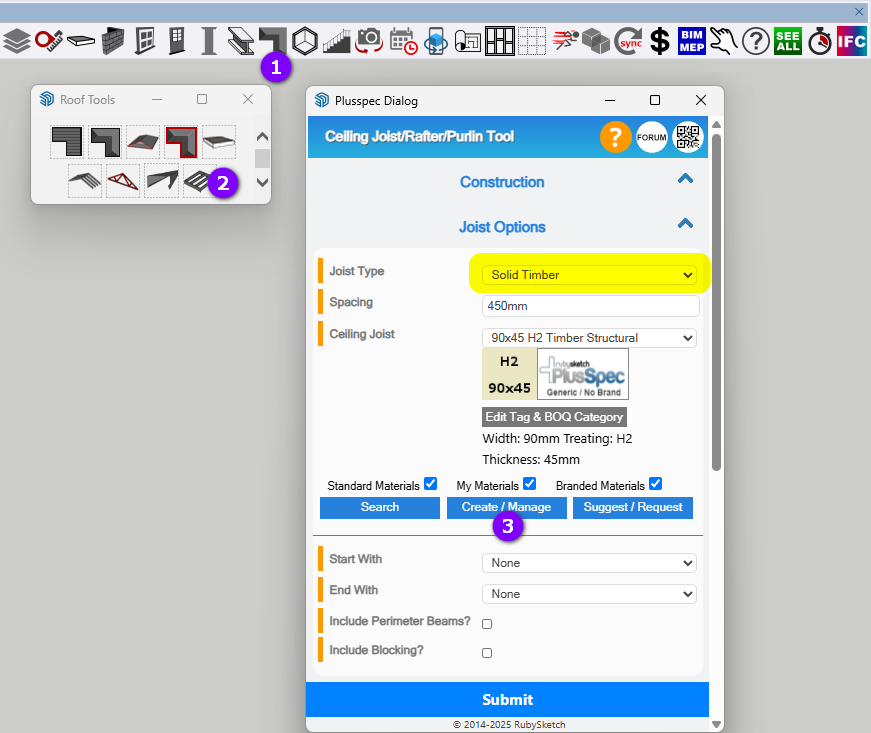
Use the  Ceiling Joist Tool & create a metal batten material as a joist (I’d do it under the Solid Timber joist type).
Note: You’ll need to switch the size values if the “batten” needs to be horizontal & not the default vertical orientation.
Option 2
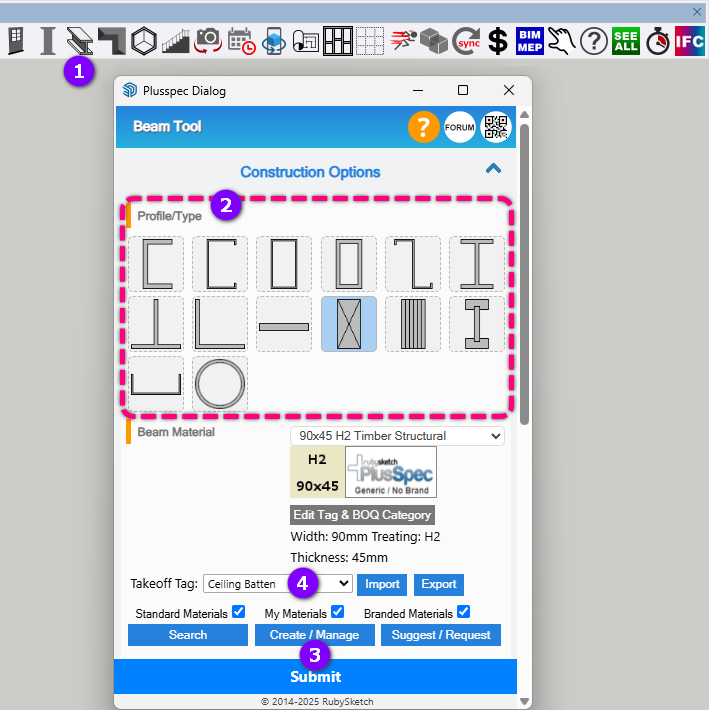
Create a material in the  Beam Tool under one of the profiles/types, select the desired Takeoff Tag for the beam & then draw the battens*.*
Tip: Draw one beam & use the SketchUp copy-move feature (i.e. SketchUp Move Tool & press Ctrl) to space the “battens” out to the desired positions.
1 Like