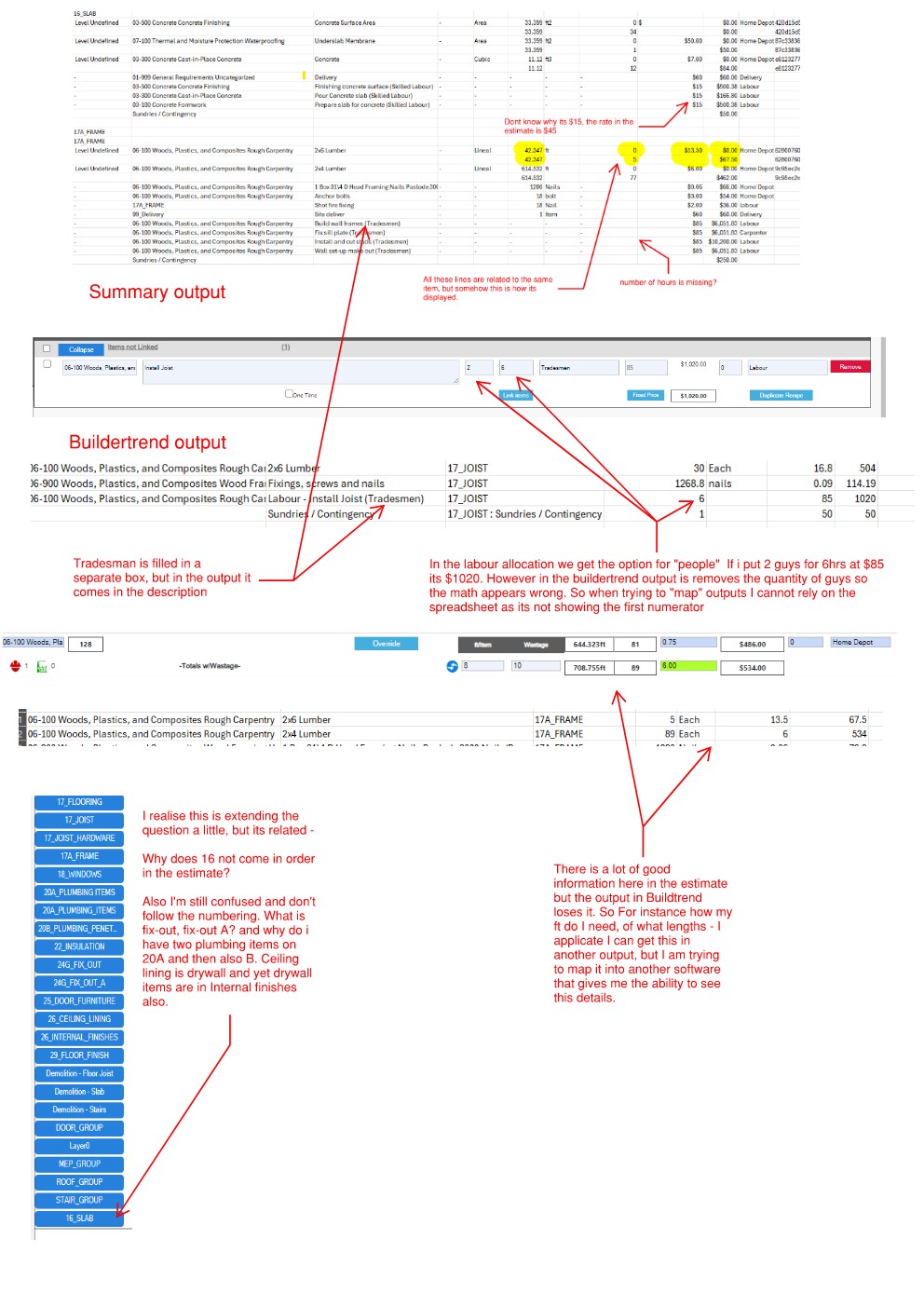
There are several potential options in the estimating export tool. Having tried them all, I’m not sure if it’s me, but they don’t seem to produce a very useful output. By this, I mean lines are repeated, things don’t seem to line up, 3 and 4 decimal places, cost codes are missing, and it’s hard to follow how things are calculated. The best output from me is the Buildtrend export.
We don’t use Buildtrend, but we do use Jobtred, a great tool.
Software stack is (Plusspec, Jobtred, QuickBooks)
Can we have an interface (for the user) to control the export through selectable tabs or columns? I would really like to be able to see, in separate columns, Vendor, trade, markup, and subcontractor, in addition to the existing buildtend output.
Is there a reason why sundries can’t be included in a cost code?
Can you send @Tyler the perfect output required, as we are looking at doing some work with WunderBuild so at this time we could probably do something else.
I usually consider sundries as items that I did not have time to calculate preliminary costs,(when I’m in a hurry) I like that they are forced to be counted as sundries as it forces me to rectify my laziness when I have time.
I usually try to avoid using them. I will bring it up in a dev meeting; however, you could add a recipe as a one-time value if you need to add sundries.
Here are some notes on a screenshot. I will send a separate note about the ideal output to Tyler. It seems to me there’s a lot of great information. I will also ask the guys at Jobtread, and if you’d like, I can connect you with the person we work with.
Not sure if I am on Beta or Live - how do I tell?
Yep, sundries is the last catch-all for stuff you don’t think about - I do the same, but if I can associate it with something, it would be helpful as I don’t think I’ll be breaking habits anytime soon!
As I mentioned, I don’t use Buildertrend; however, I found that it is a better alternative to map from, but it still has its limitations, as noted below.
Hi Garath I’m sorry, i missed this response.
I’ll pencil it into my next dev meeting to see if we can make adjustments. Is anyone else looking for more information on their exports? @Grant
Ok, we had our meeting today and finally got around to re-looking into your request. @Tyler did not receive any communication, so we have not done anything about this until now.
Essentially, you want to do the following:
The reason for multiple Fix-out quantities is 3 prong. Seeing PlusDesignBuild is virtual construction & BIM software that organises 2D documentation, 3D representation, 4D scheduling, and 5D quantification, which requires multiple tags to get the job done as seamlessly as possible.
I see your point that we have multiple outlets for different items that may be ordered at the same time, but I am not exactly following what you would like to see done.
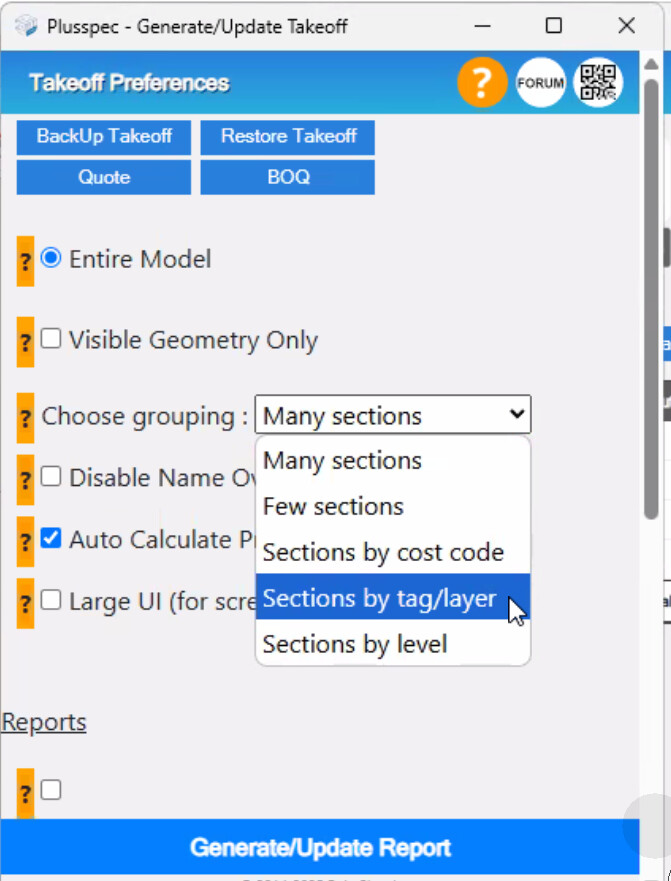
Also, I’m not sure why 16 ends up at the bottom of the list when running a BOQ by Tag/layer, but we will look into fixing this.
I would suggest that doing a BOQ by cost code is probably the most customisable way to work with your individual needs, as it will remove our tag/layering system and replace it with yours.