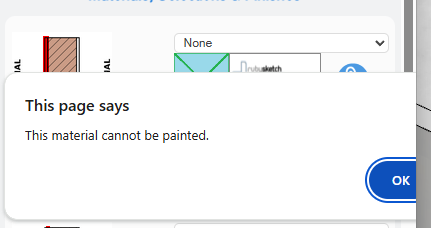
If I draw a plain block wall and then use the option to apply paint to one side of the wall, it generates an error, presumably because I have selected “none”. If I apply paint to the blockwork, it covers both sides.
Is there a way to apply paint to one side of the blockwork without creating a new surface to paint?
Yes that’s correct, paint cannot be applied when “none” is selected.
The only way I think of to currently do what you’re after would be to create a new brick material for the other side of the wall & then paint that material. Since the material is going to be painted you should be able to use any brick texture, but if you want to use the same texture as the other side of the wall you can get the texture image by following these steps.
Open a new, blank model. Note: This is only so that Step 3 is easier.
Draw the wall with the desired material applied.
In the Materials section of the Default Tray, locate the desired material.
Right-click on the material & select Export Texture Image.
Save the texture image somewhere on your computer (Desktop is recommended).
Open the Wall Tool & create a material in the material field where brick hardware normally is.
Follow the usual steps for creating materials (i.e. create then drag-&-drop/sync).
Select the new material (if it isn’t already selected) & draw/redraw the wall(s).
Tip: Make sure to “exclude” the newly created material in the takeoff so it doesn’t affect you BOQ.
 Wall Tool & create a material in the material field where brick hardware normally is.