Hey everyone,
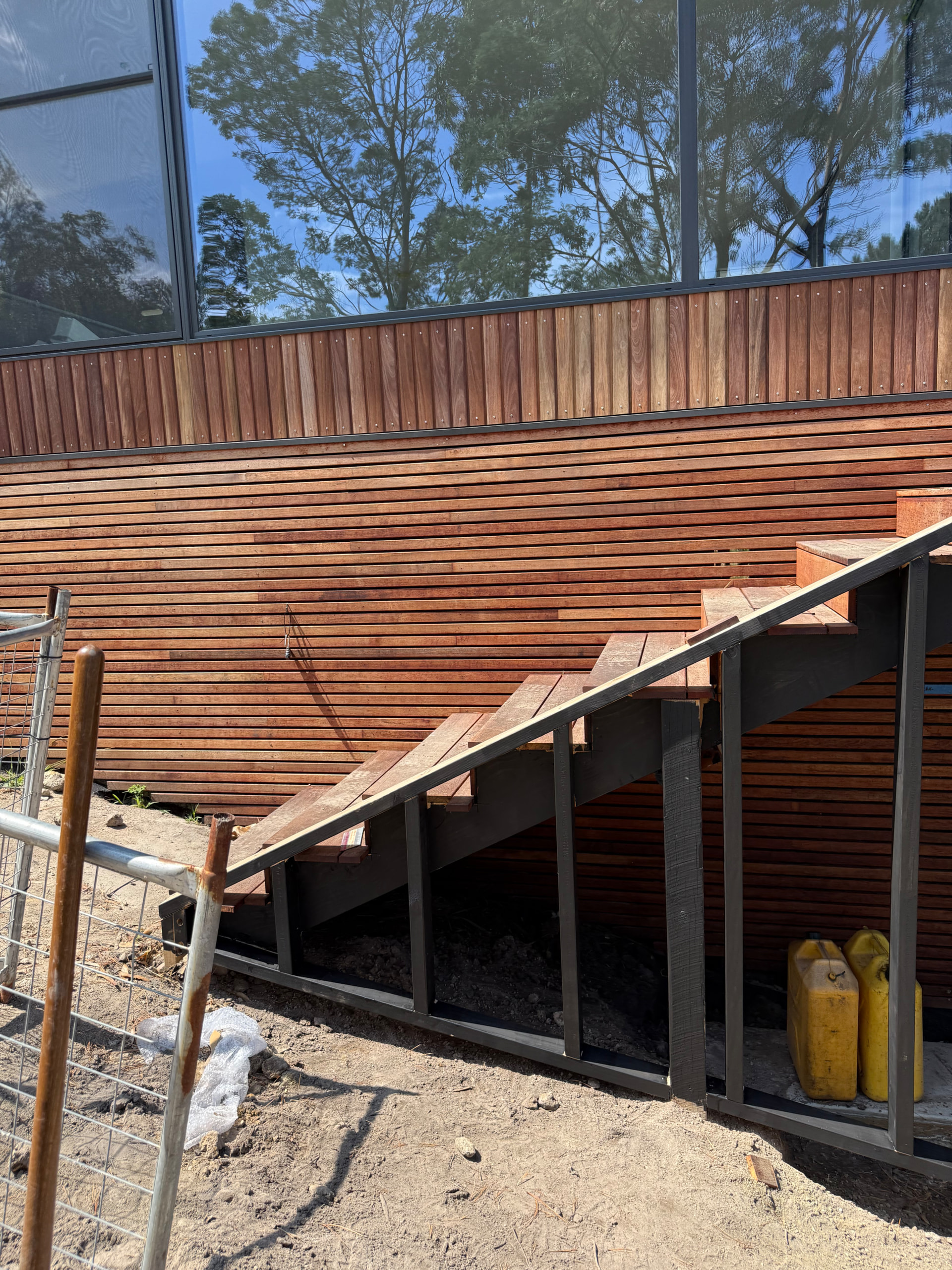
I was wondering what would be the best way to model this up, the material is 42 x 18 merbau with 10mm gaps. Hoping can help me out. Thankyou
Hey everyone,
I was wondering what would be the best way to model this up, the material is 42 x 18 merbau with 10mm gaps. Hoping can help me out. Thankyou
Hi austinj,
Materials can be created via the Create/Manage button located below the material field. For skiting/baseboard, go to either A) the Trim section of the  Wall Tool or B) the
  Floor Tool & create a material for the baseboard/skirting material field & follow the prompts (locations shown in images below). Note: The material field will only appear if A) Baseboard selection isn’t None or B) Include Baseboard is ticked.
However, I’m not sure what you mean by the “10mm gaps”. Are you able to please provide some more info on this or some images of the desired result?
Sorry for the confusion, I’m referring to outside below cladding to the ground level like this photo.
Ah, I see, you were referring to the gap between each panel of timber.
To achieve your desired result, you’ll need to create a material. Here’s some key info for what you’ll need to do.
 Floor Joist Tool (located within the Materials, Selections & Finishes section), this way it can also be used as decking.
 Custom Estimation Tool to search for the created material & apply it to the geometry.