I am trying to create a terrain that utilises both the spot levels and the contours from a dwg. Everything I’m finding uses either one or the other. Could someone point me in the right direction please?
Hi Tracey_S,
I’m not aware of an extension that generates terrain using both contours & spot levels. In my experience, using the SketchUp Sandbox Tools (pictured below) & generating the terrain from the contours provides an accurate enough terrain to be able to model from & work out heights, levels, etc.
Note: A few minor adjustments (e.g. extending countours & trimming at the site boundary) will likely be needed to give the best results.

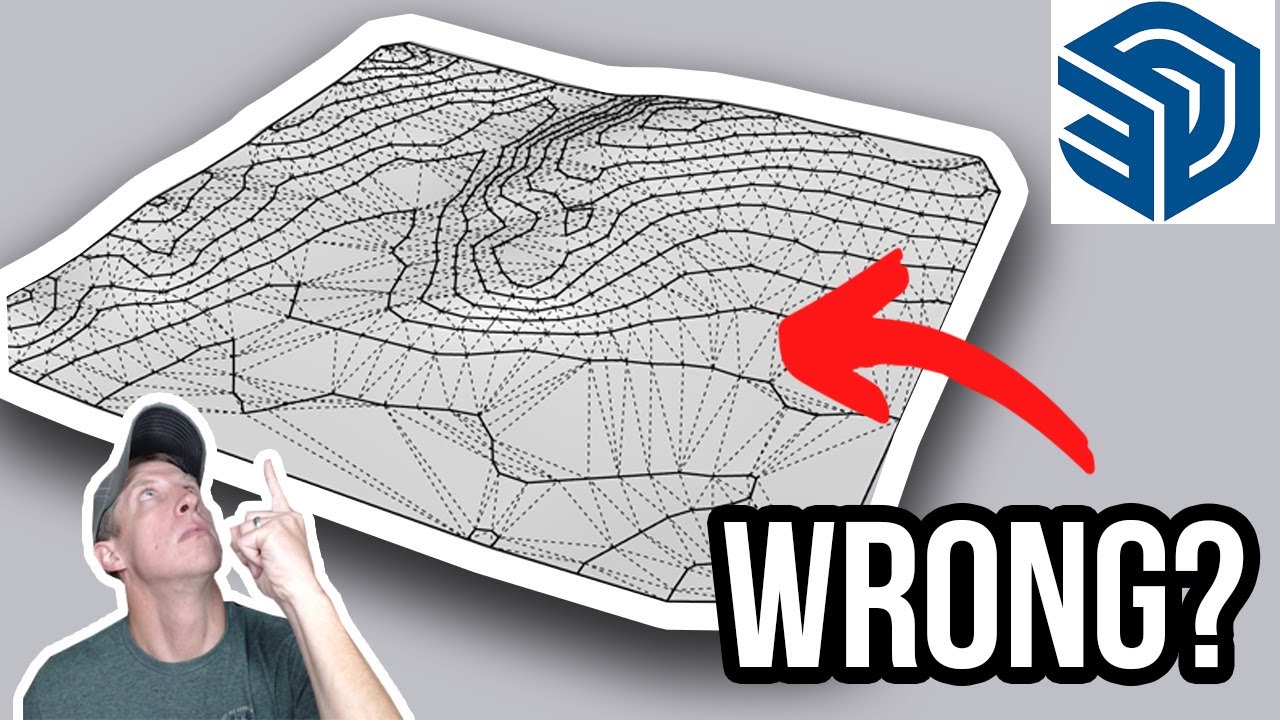
If you’re wanting to create better & more accurate terrain, the video I’ve linked below goes through the Sandbox Tools as well as another extension that may be useful for what you’re trying to achieve.
Hi Tracy, if you know of an extension that’s creating topography from spot levels I would be interested to try it. Almost everything seems to require contours as a starting point, but I always receive spot level surveys! I have used this method a few times to create topography and then cut and fill clacs after I have plains to work with, but it’s tedious…
Thanks Gareth, so far the only extension I know of is the one you suggested. Unfortunately, it doesn’t allow the use of both contours and spot levels - its one or the other. Our surveys usually have both and we find if we just use one or the other we miss out on a lot of relevant detail.
Thanks Grant, that extension is interesting but still doesn’t allow the use of both contours and spot levels. The surveys we receive have a lot of information in both and we use them both to get accurate terrains - at least we have in the past using archicad! Is there really no way to lift a terrain that has been created with contours at individual points?
Unfortunalty, I’m not aware of an extension currently available that creates terrain using both countours & spot levels, or of a way to modify terrain to suit spot levels other than manualy editing the geometry to suit (which I know could be tedious). Hopefully someone else knows of one & can chime in.
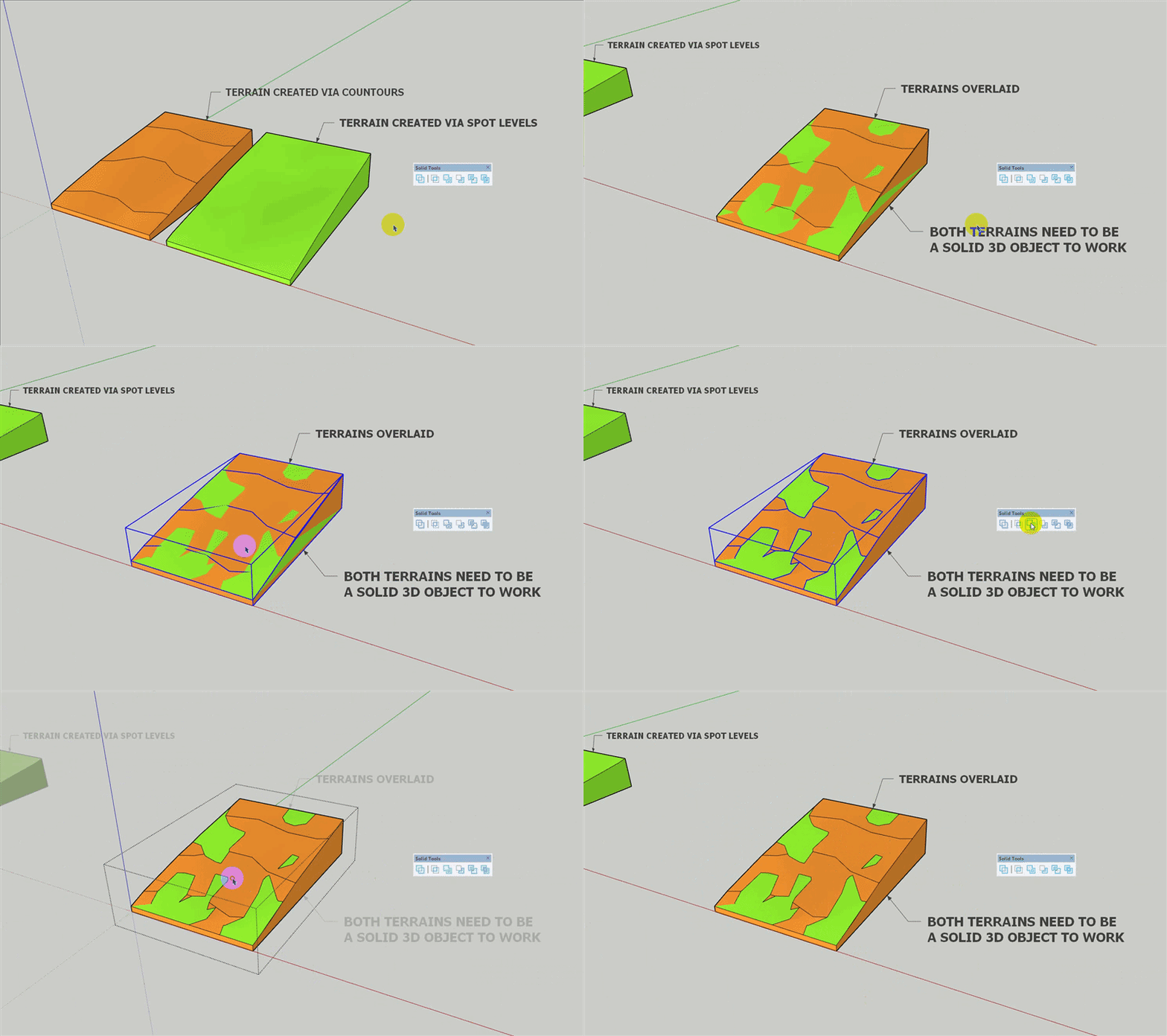
In saying this, another method which may achieve the result you’re after (or at least closer to it), would be to create two 3D terrains (one from countours & the other from spot levels) & merge them together using SketchUp Solid Tools. I’ve outlined the steps I’d recommend to do this in the sections below. Hope this helps!
Creating & Merging Terrains
- Generate a terrain from contours using SketchUp Sandbox or other another extension. Tip: Extend contours to the site boundary if they aren’t already.
- Generate another terrain from spot levels.
- Make each terrain a solid 3D object. Refer to the ‘Creating 3D Terrains’ section below for more info.
- Overlay the terrains.
- Select both terrains & select Union from the Solid Tools toolbar. If done corectly, the result should look similar to result in the GIF below.
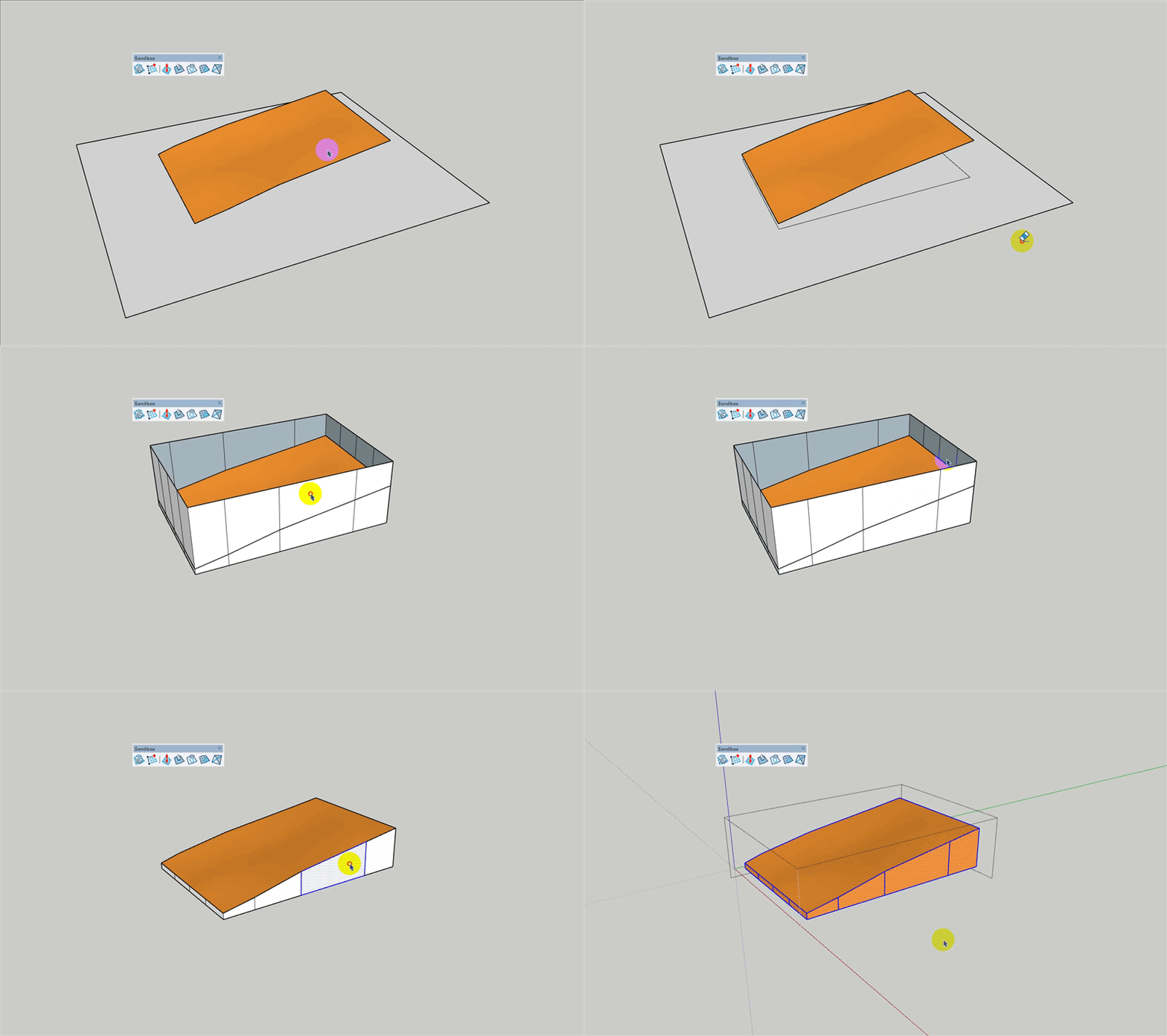
Creating 3D Terrains
- Draw a flat face below the terrain that is larger then the terrain.
- Select the terrain, then select Drape from the Solid Tools toolbar & click on the face below the terrain. A shape should appear on the face.
- Delete the geometry around the shape that was just generated.
- Push-pull the face up past the highest point in the terrain.
- Delete the top face of this geometry to expose the terrain.
- Select both the geometry & the terrain, then right click on the selections & select Intersect Faces > With Selection. Intersection lines should appear on the geometry.
- Delete any geometry above the intersection part of the geometry.
- Cut & paste the geometry into the terrain group.
- The terrain should now be a valid 3D object like shown in the GIF below. Note: If the Volume field appears in Entity Info when the terrain is selected it’s a valid 3D object.
@Tracey_S
I have used spot levels, but I used the SketchUp circle tool to create an edge, then select it along with the contour and use the sandbox tools. If you have not seen this video, it may help with afew other tips and tricks