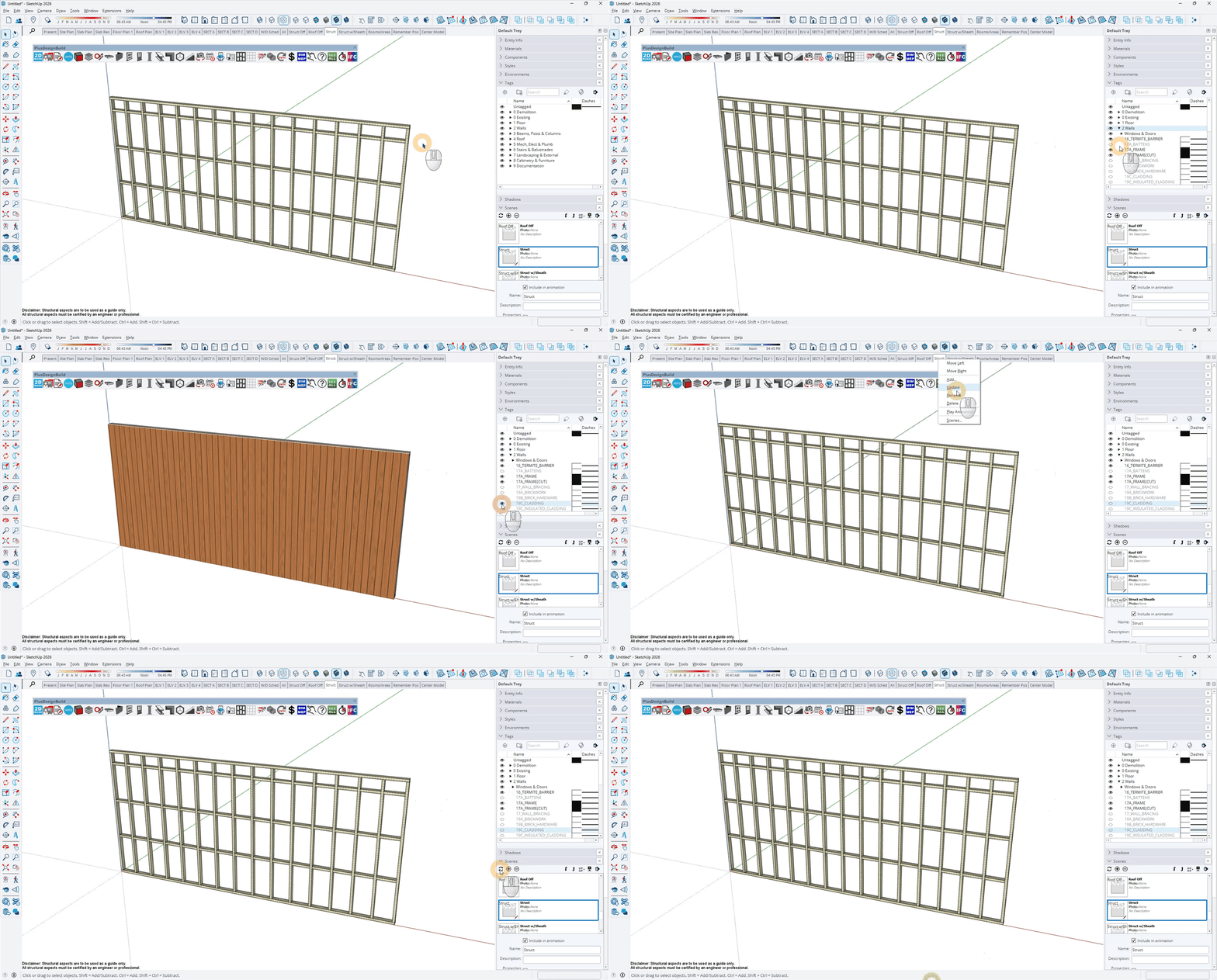
Hi, my models are showing cavity battens and wall finishes eg. cladding in the structure scene.
how do i stop this from happening?
Hi user57,
I’m not sure why this is happening as battens & wall finishes should be off in the Struct scene.
However, you can adjust the visibility of tags in scenes by turning the specific tag on/off in the Tags section of the Default Tray & then updating the scene by either A) right-clicking on the scene & selecting Update, or B) via the Update Scene(s) icon in the Scenes section of the Default Tray.
Here are the tags for the battens & cladding that you’re looking for (unless the materials have been updated via the Edit TAG & BOQ Category feature).
- Battens = 17A_BATTENS (under the 2 Walls folder)
- Cladding = 19C_CLADDING (under the 2 Walls folder)