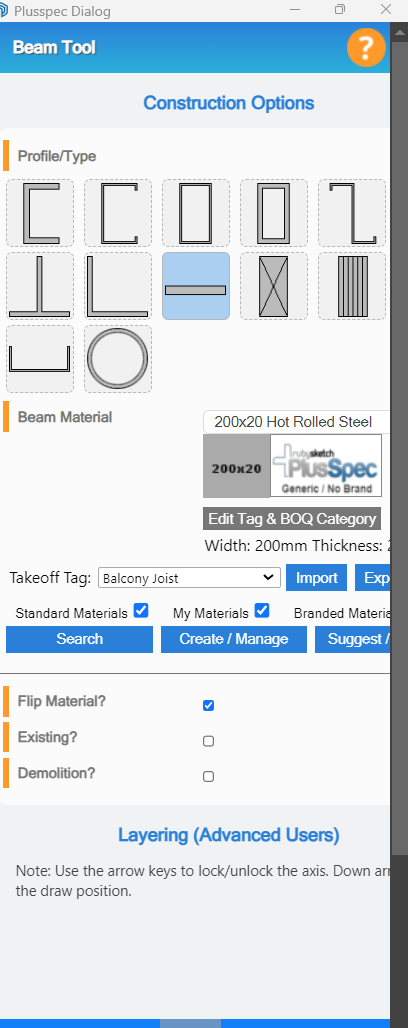
I’m trying to get some steelwork modelled and the main beams are ‘I’ section but the profile for the beam isn’t showing up. I’ve seen other user and the icon for the beam is clearly there. I’ve noticed with several of my pop up PlusSpec trays that they appear clipped but in this instance there is no horizontal scroll bar to move the screen over. Is there a reason why I’m seeing clipped pop ups and is the ‘I’ section still an option in Plusspec?
Hi Gary,
Thank you for your post. Please follow our instruction guide here on how to troubleshoot.
Let us know how it goes.
Cheers,
I have not seen this before @GaryT , did you get it sorted? It looks like an installation issue. I’d reinstall plusspec and resync the materials
Never got it sorted, reinstalled it and also upgraded to PlusSpec V26 still no I beam. Got around it previously with another extension for the steelwork but I’m back needing more steelwork modelling but still have the same problem.
Hi Gary. Are you taking about the beam tool or the joist tool?
Also is it imperial or metric?
@Grant do you know about this and can you chase it up and rectify asap?
Is anyone else experience the issue?
It’s the beam tool. I’m not trying to do anything fancy just a standard steel portal frame building, agricultural style. Could it be a regional thing?
No have you pushed Sync?
What library have you synchronised? USA Australia or uk?
Hi Gary,
It looks like your dialog is somehow zoomed in (I’m not sure what’s caused it). If you hover over the dialog & scroll out whilst holding Ctrl does it resolve the issue? The GIF below is what happens for me when I zoom in/out whilst holding Ctrl.
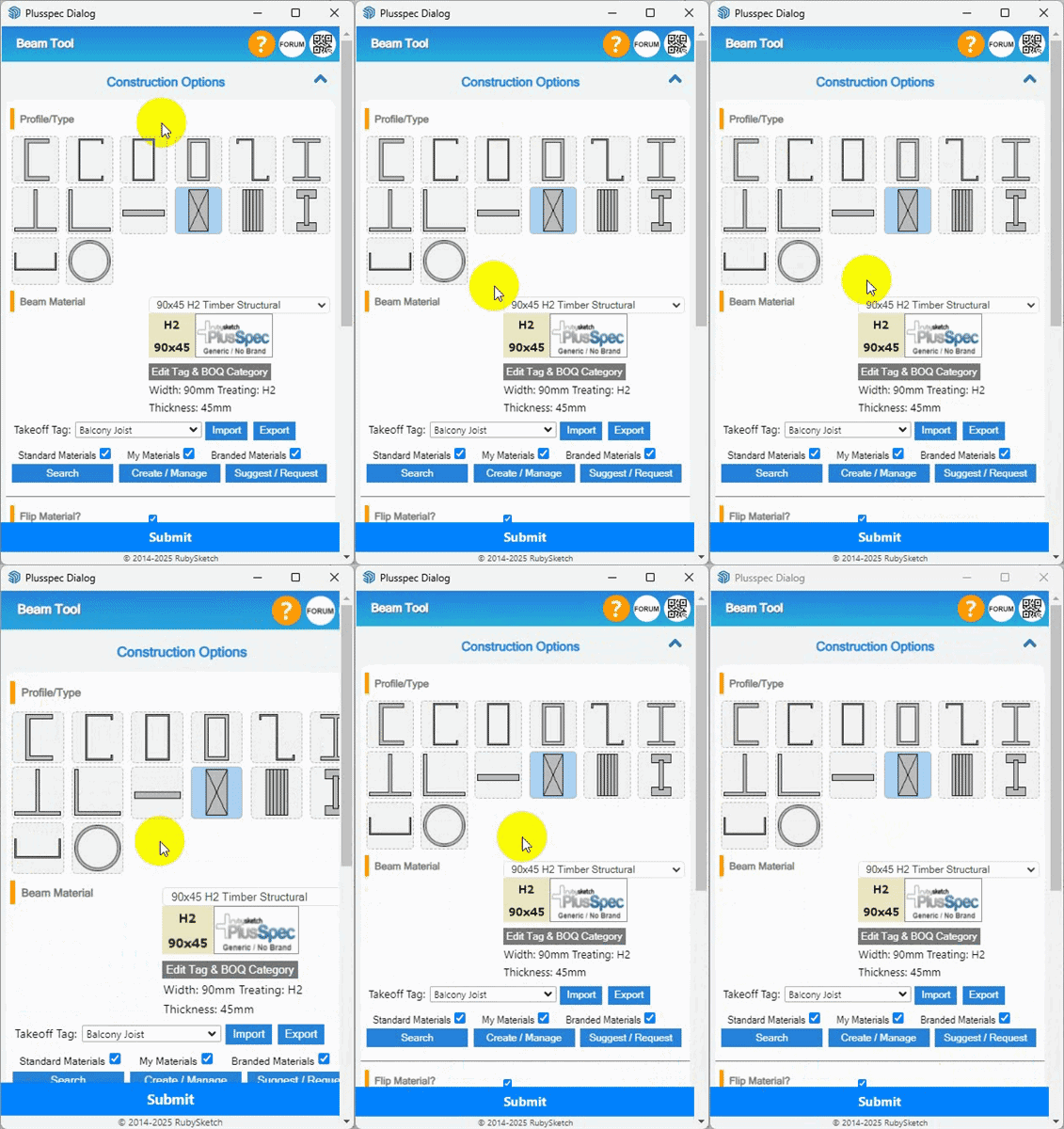
Another thing you could try that may resolve the issue is to delete the “private preverences” file. The steps to do this are outlined in the article linked below.
https://support.plusspec.com/hc/en-us/articles/38405260126489-Dialogue-or-Toolbar-isn-t-showing
Lastly, another possible cause for the issue may be due to a conflict with another extension. Does the issue still occur if you go to the Extension Manager & disable all extensions other than PlusSpec & the ones that come with SketchUp?
Brilliant I had no idea you could do this, I’ve struggled to get the activation menu for the same reason. Now if you could just solve how to put opaque roof lights into a insulated panel roof all my current problems would be solved.
Thanks
If you could start another post that’ll help keep the forum on topic.
For is to help ideally you add a screen shot of the roof & the type of roof light you want.