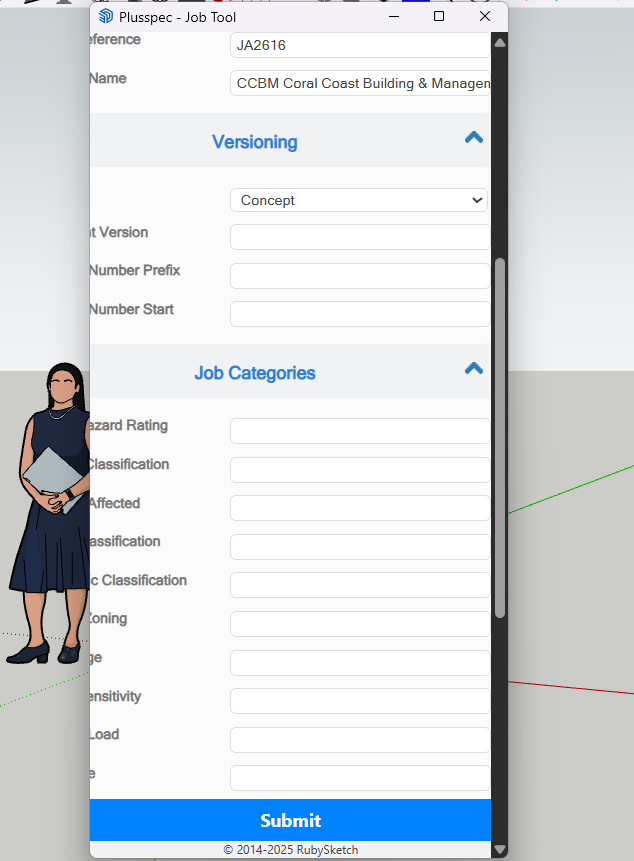
This has been happening on every tool window that I open up, it keeps cutting off everything on the left hand side so I can’t read it. I try to resize the window but you can pull it up and down but not side to side So how do you resize the window?
If anyone can help with what I am doing wrong here would be great.
I haven’t come across this issue much but I will speak to the development team to see what can be done about it.
However, there is a way for you to view the dialogs as they normally should be viewed. If you hold Ctrl whilst scrolling out on your mouse, you can adjust the zoom level which will make the fields & content come into view.
Note: The width of the dialogs cannot be changed but the height can be adjusted (in most cases).